
Design your print online, ready for the press.
Pick a template, change the words, add your photos and logo, and see exactly what will be printed before you order. The Studio shows where the card is cut, so nothing important is lost at the edge.
The sample opens a visiting card in the Studio. You sign in or create a free account first, so your design is saved.
How it works
Step 1: Choose a template
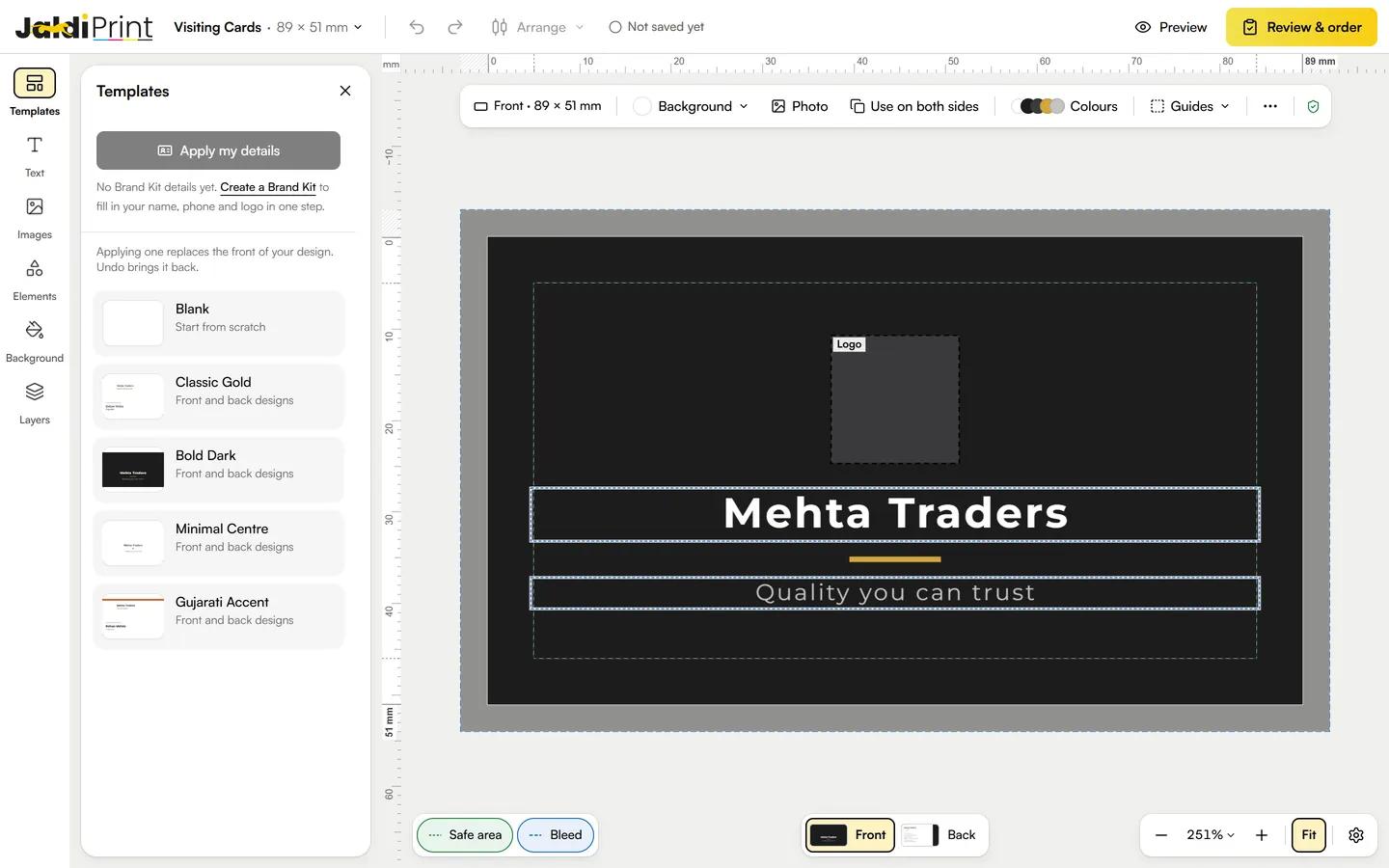
Open the Studio from a product, or pick a template below. Templates are ready designs for the front and back; Blank starts from scratch.
Applying a template replaces the front of your design, and Undo brings it back. With a Brand Kit saved, Apply my details fills in your name, phone and logo in one step.
Step 2: Change the words
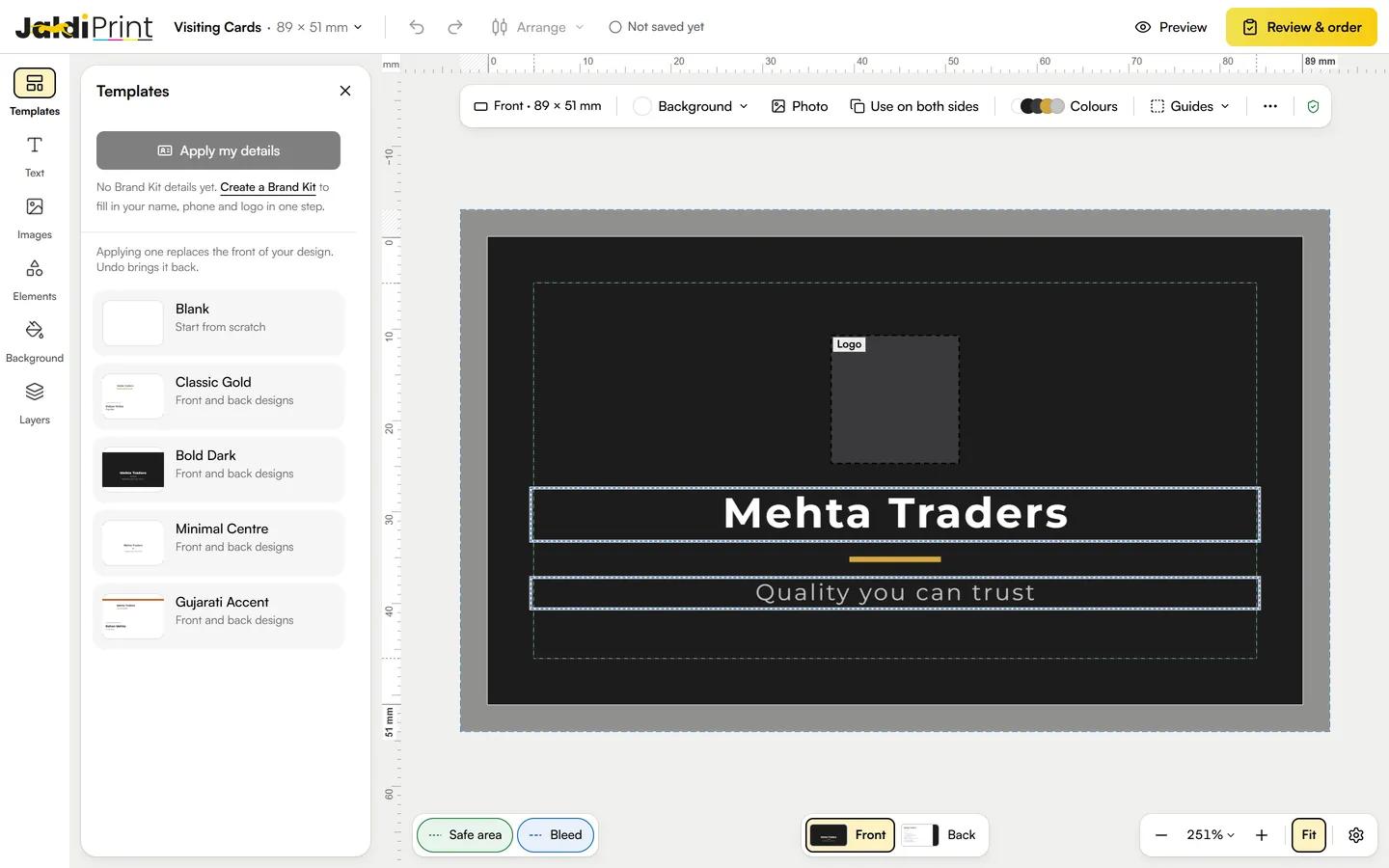
Click a text to select it, then click it again to type over it. Choose its font, size and colour while it is selected. Fonts for Gujarati and Hindi are in the font list.
Add more text from the Text panel: a heading, a subheading or body text. Whatever sample text you leave in prints as it is.
Step 3: Add your photos and logo
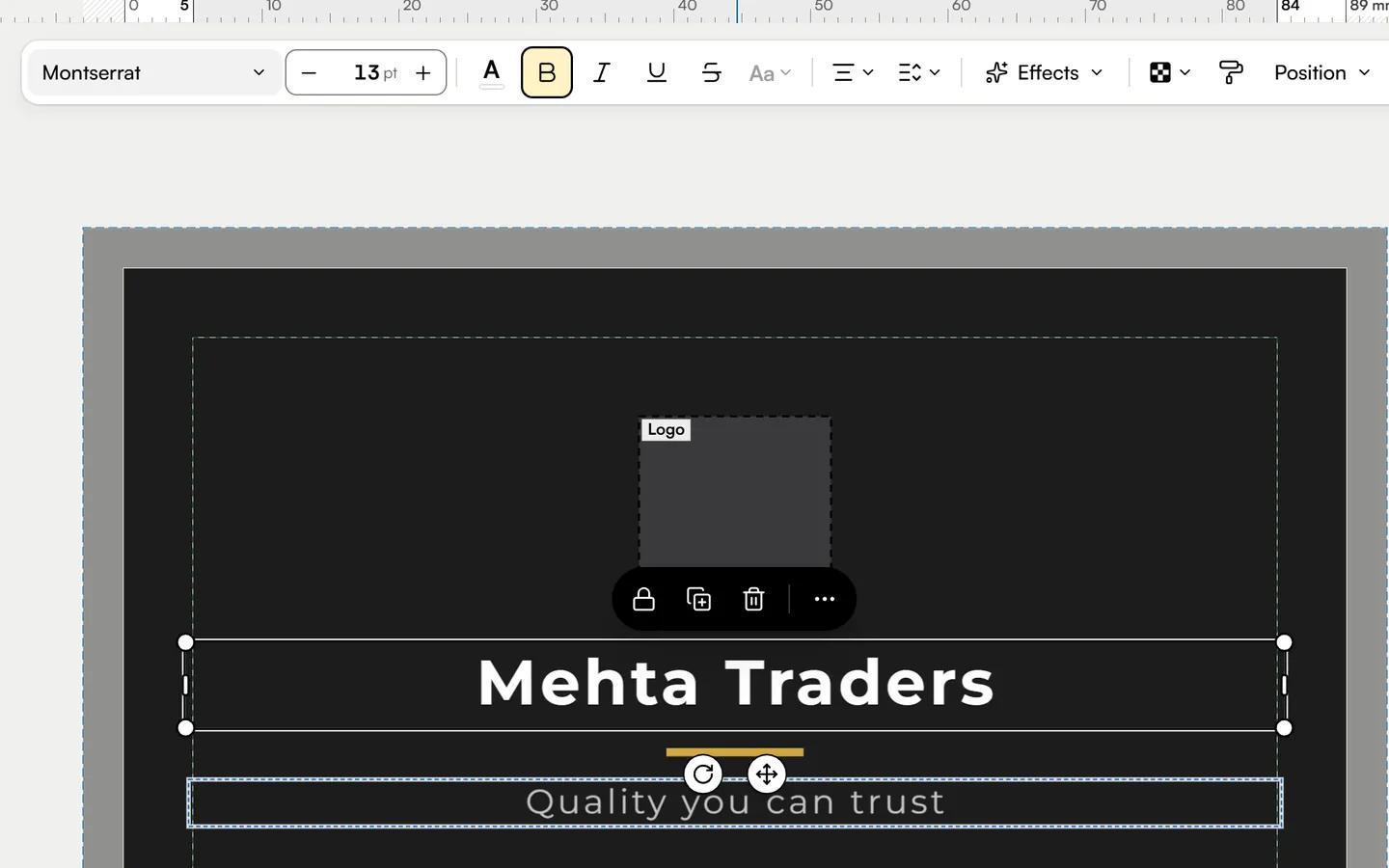
In Images, upload your own photo or logo (JPEG, PNG or WebP). For a sharp print, use one of at least 300 ppi at the size it prints.
Or pick a free stock photo, then add shapes, lines and icons from Elements. Stock photos are not for logos.
Step 4: Check it is print-ready
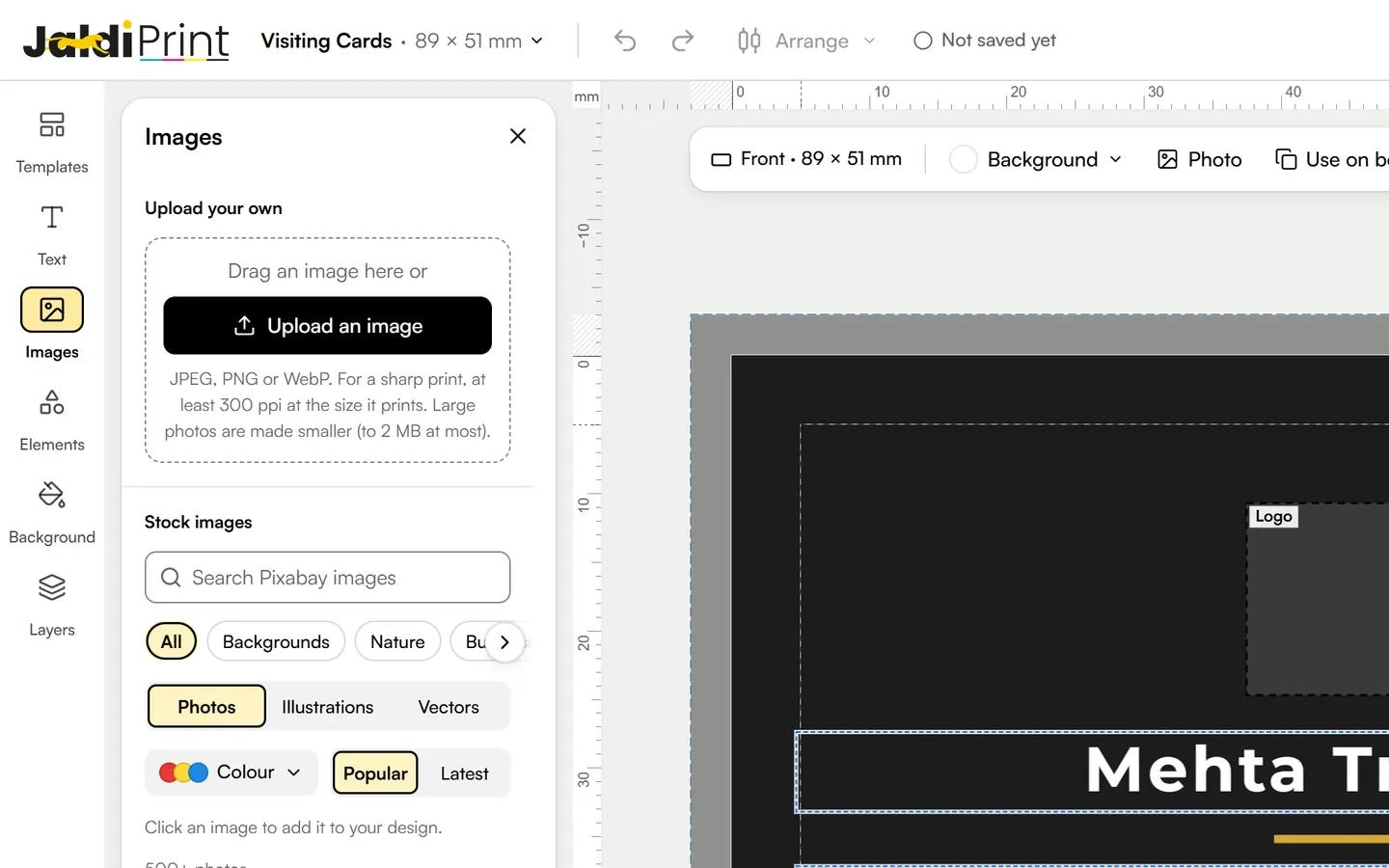
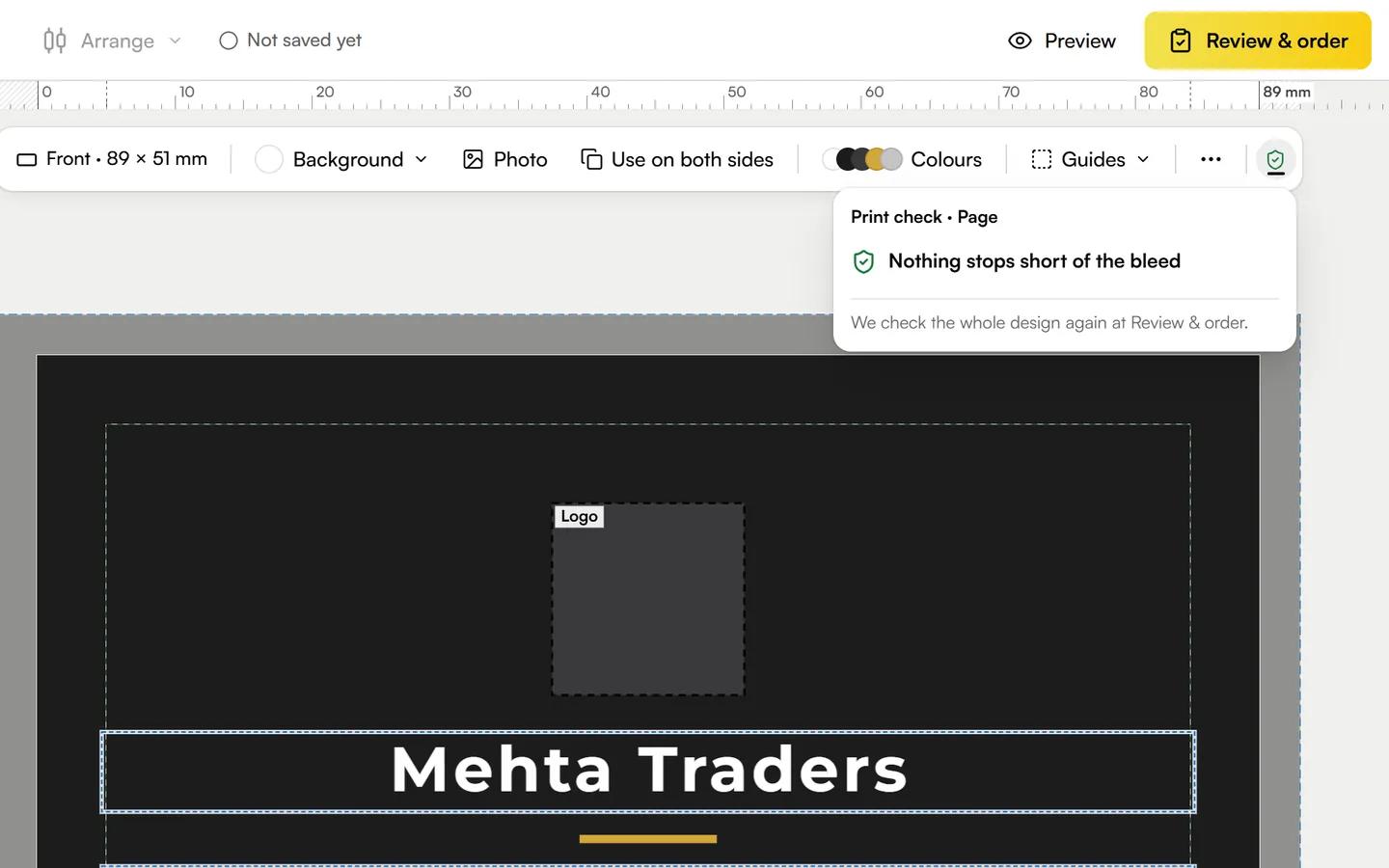
The green dashed line is the safe area: keep text and logos inside it. The blue line is the bleed: let backgrounds run out to it, because the card is cut just inside.
The print check tells you when something stops short of the bleed. Switch between Front and Back at the bottom of the Studio.
Step 5: Preview, approve and add to cart
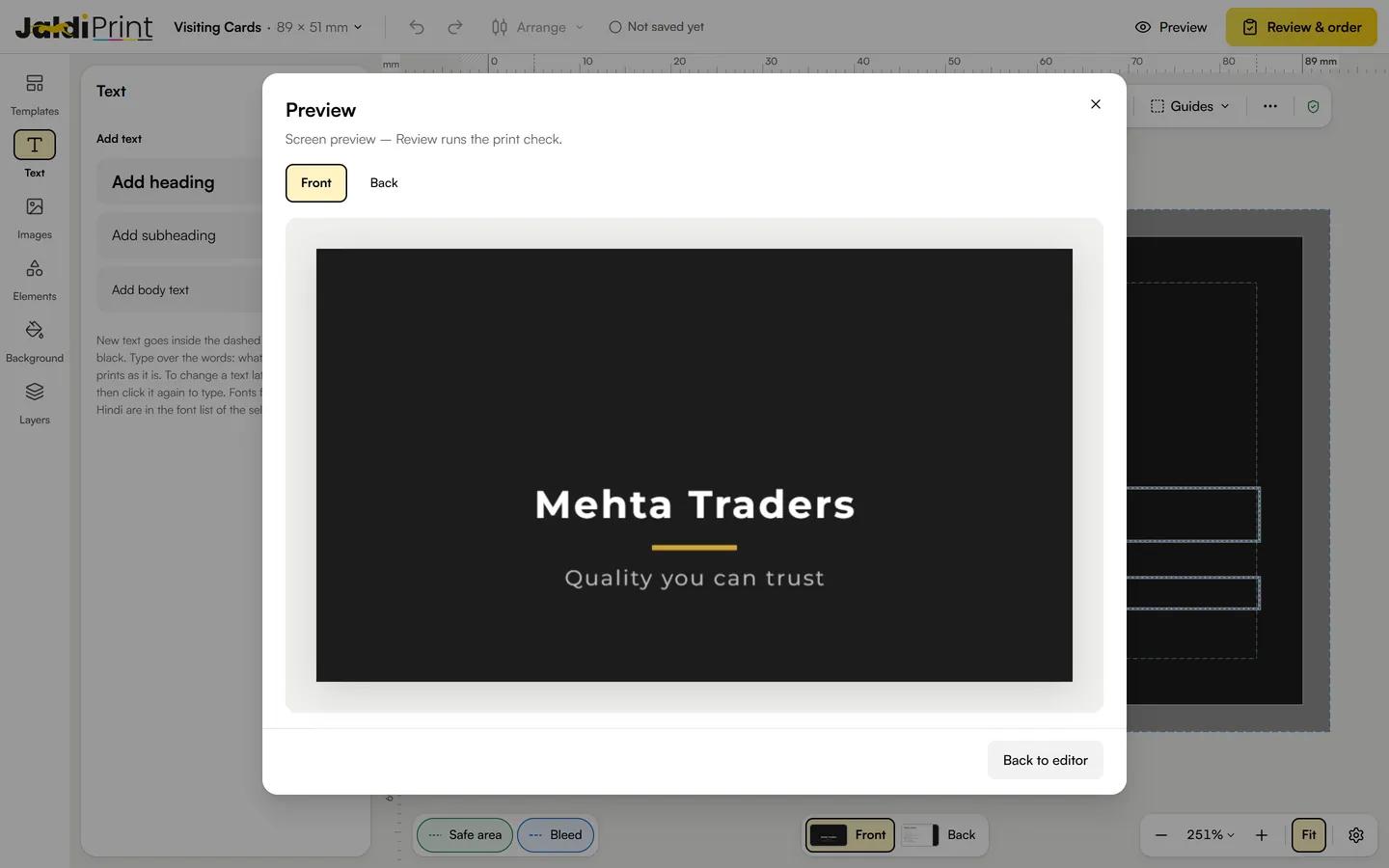
Preview shows the card front and back as it will look. Then Review & order shows your proof and lists any text that is still the template's sample.
Tick that you have checked the spelling, details and layout, then Approve & add to cart. We print exactly what you approve, so check it carefully.
What's in the Studio
Templates
Ready front and back designs for each product, or a blank start.
Text
Headings, subheadings and body text, with fonts for Gujarati and Hindi.
Images
Your own photos and logo, and free stock photos.
Elements
Shapes, lines, icons and social media icons.
Background
A colour or a photo behind your design, on one side or both.
Layers
Bring things forward or send them back.
Undo and redo
Try things out; one click takes a change back.
Rulers and guides
Rulers in millimetres, with the safe area and bleed lines.
Print check
Warns you before something prints short of the edge.
Preview
See the card front and back as it will be printed.
Brand Kit
Save your name, phone, address and logo once; fill them into any template.
Saved designs
Your designs stay in your account, to finish or order again.
Start from a template
Each one opens in the Studio, ready to change.
Rather we design it for you?
On a product page, choose Let us design it for you and talk to our team, or write to us from the contact page.
Talk to our team